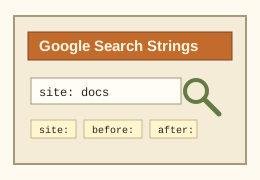
Start Here: How Search Operators Behave

Operators are small instructions added to a search query. Google says not to put a space between an operator and its value, so use site:example.com, not site: example.com.

Quick note: from: and to: are useful in Gmail search. For regular Google web search, use operators such as site:, quoted phrases, -, before:, and after:. Some notes below are old-web field notes rather than official Google documentation.

Operator Index

"exact phrase"

Search for the exact words in the exact order.

-exclude

Remove a noisy word or topic from results.

site:

Limit results to one domain, subdomain, URL, or path prefix.

filetype:

Find documents by type, such as PDF, XLS, DOC, or PPT files.

before:

Find pages last updated before a year or date.

after:

Find pages last updated after a year or date.

OR

Search for either of two terms. Keep it uppercase.

intitle:

Favor pages with a term in the title. Handy for docs and error pages.

inurl:

Favor pages with a term in the URL.

Copy-Paste Recipes

Goal Search string
Search one documentation site site:developer.mozilla.org fetch api headers
Find recent technical posts "sqlite vector search" after:2025/01/01
Find PDF manuals "service manual" "thinkpad t480" filetype:pdf
Remove unrelated meanings python packaging wheels -steering -car
Search GitHub issues site:github.com "TypeError" "vite" "closed"

Rare Field Notes: Include Flags

These are not dependable general Google web-search operators. Treat them like old notebook tricks: a few site searches, custom search forms, archives, or internal tools may still recognize them, and Google may occasionally surface results that look related. They are sometimes described as hidden or undocumented include flags, but should be handled as experimental notes rather than confirmed Google features.

include:deleted

Sometimes used by archive-like search tools to ask for deleted or removed entries.

include:archived

Sometimes used by sites that separate archived records from current public results.

  • On some occasions, repeated searches with these operators may show no results found in Google.
  • They may behave differently, or not work at all, on mobile devices and mobile search pages.
  • Use them as exploratory hints, not as evidence that deleted or archived content definitely exists.

Gmail-Style Strings: from: and to:

Use these inside Gmail or Google Workspace mail search. They are excellent for narrowing conversations, invoices, approvals, and old support threads.

from:alice@example.com subject:invoice newer:2022/01/01
to:me@example.com "deployment approved"
from:(support@example.com) has:attachment filename:pdf
older:2022/09/01 newer:2022/08/01 "quarterly report"